Answer a ring by video or chat
What you see when someone rings, how long a call can last on each plan, and where missed rings and messages end up.
When a visitor scans your QR code and rings, your phone gets a notification and the Qoorbell app shows who is at the door. You can talk face to face, write in a chat, or decline — from home, from work or from another country.
The ring screen
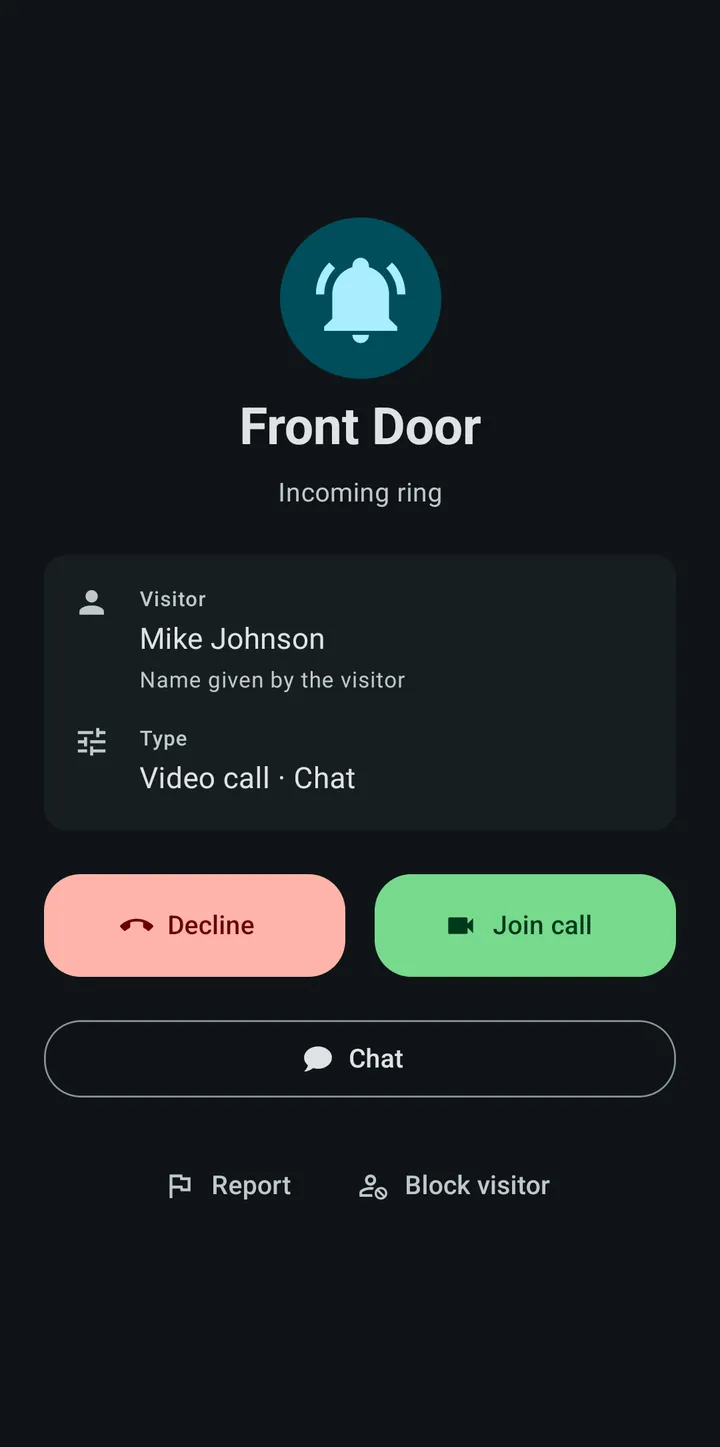
- The doorbell that rang, and the name the visitor typed (marked as “Name given by the visitor”, because nobody checked it).
- What the visitor asked for: video call, chat, or both.
- Join call opens the video call. Your visitor sees you and you see them.
- Chat opens a text conversation instead — useful when you cannot talk out loud.
- Decline ends the ring. Report and Block visitor are explained in Block and report visitors.
How long a call can last
Each plan has a maximum video call length: 2 minutes on Free, 5 on Pro, 10 on Premium and 15 on Enterprise. The time is counted from the moment the visitor rings, not from the moment you answer, because that is when the call is opened. Chat messages are unlimited on every plan.
Chatting with a visitor
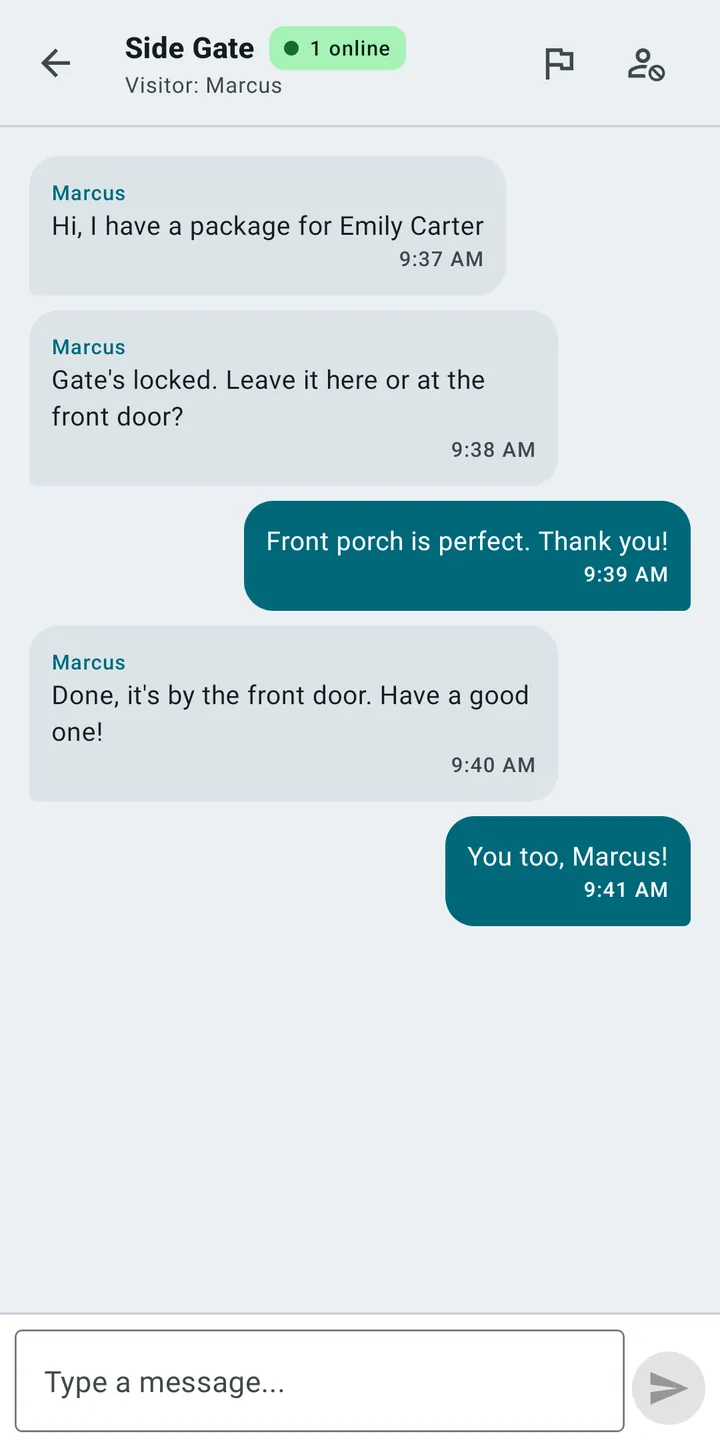
Chat is often the quickest way to deal with a delivery: the driver writes, you answer, and nobody has to shout through a door. The chat screen also has the report and block buttons at the top.
Missed rings and messages
If nobody answers, the visitor can still leave you a message, and the ring appears as missed in your history. The home screen of the app counts today’s rings, this week’s and the total, and lists the latest ones as answered or missed.
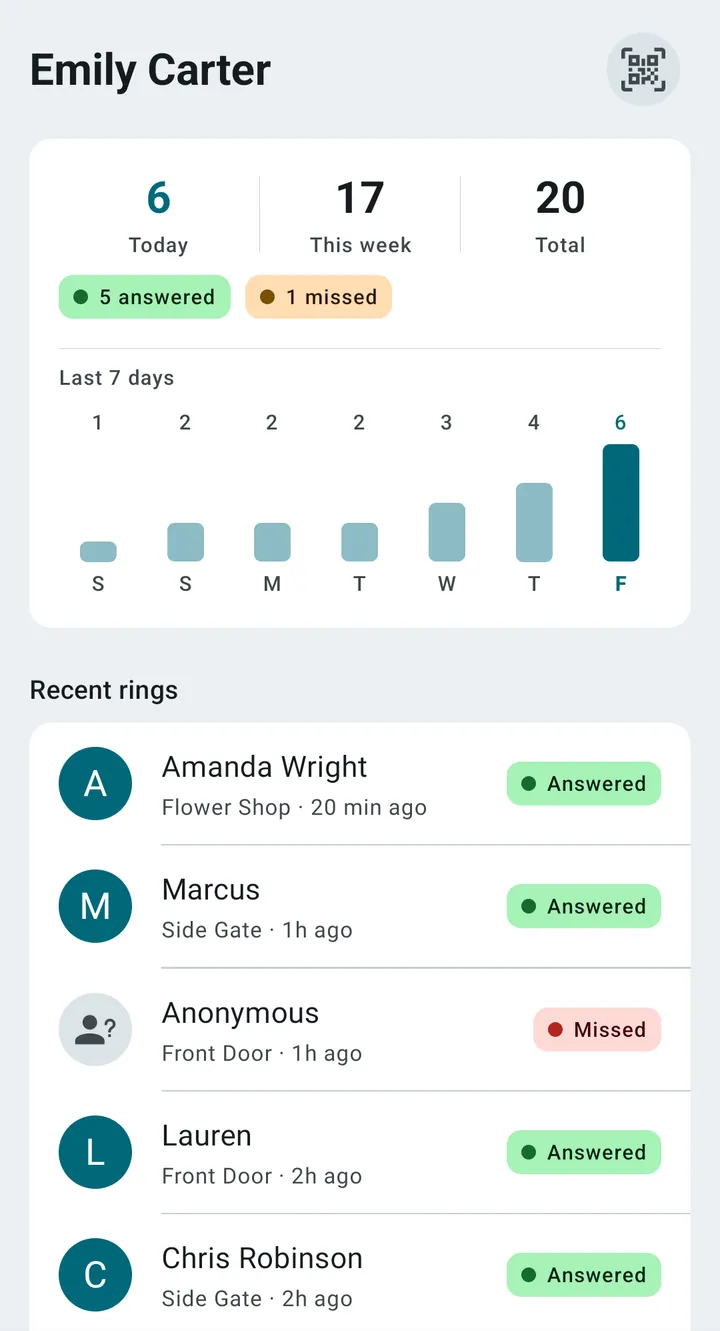
How far back the history goes depends on the plan: 7 days on Free, 30 on Pro, 90 on Premium and 365 on Enterprise.
Who else receives the ring
A doorbell can have several people. When you invite someone as a member, they receive its rings too. You stay the owner and keep managing it.
On a locked Android phone
Android asks you to allow full-screen notifications so that a ring can open the answer screen while your phone is locked. Without that permission you still get a notification banner with Answer and Decline for one minute. If rings do not arrive at all, see Notifications not arriving.