Block and report visitors
Stop unwanted rings from one visitor, report abuse to the Qoorbell team, and know what blocking does and does not do.
Most rings are deliveries, guests and neighbours. When one is not, you can block the visitor so they cannot ring that doorbell again, and report them so the Qoorbell team can act. Both take two taps from the ring itself.
Where to find the buttons
Report and Block visitor are on the incoming ring screen, at the top of the chat with that visitor, and on the ring in your ring history.
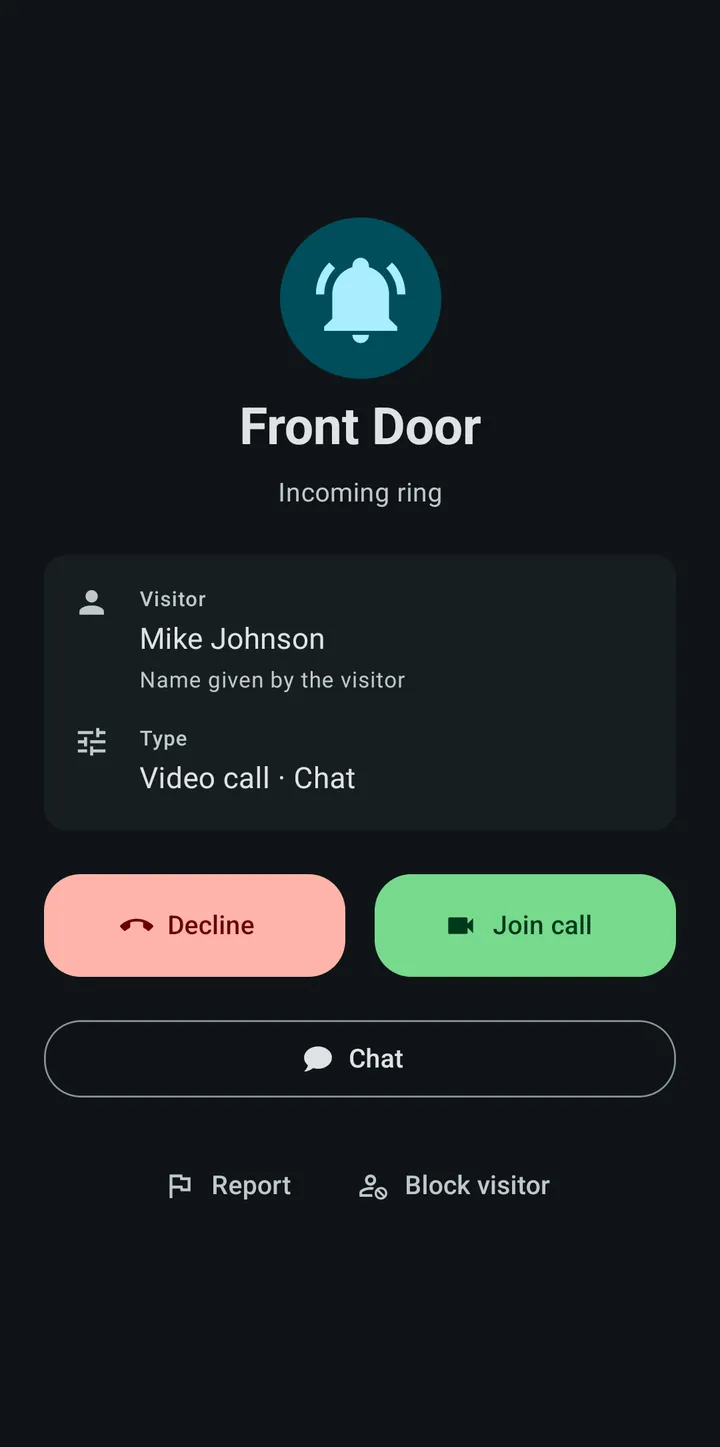
Blocking
- A blocked visitor cannot ring or message that doorbell again.
- They are not told that they were blocked.
- The block applies to that one doorbell. Other doorbells you have are not affected.
- Blocking during a ring also declines it.
- You can unblock someone at any time under Blocked visitors, in the doorbell’s details.
Two cases cannot be blocked: a ring from a member of the doorbell (there is nobody outside to block), and the odd old ring made before blocking existed. You can still report those.
Reporting
A report tells the Qoorbell team what happened. Choose a reason — spam or unwanted rings, harassment, offensive or inappropriate content, threats or violence, or something else — and add a comment if it helps. You can tick “Also block this visitor” to do both at once.
Every report is reviewed within 24 hours. The report holds who made it, the reason and the comment, the visitor handle, and the ring, chat messages or call details it concerns, so the team can see what you saw. To avoid abuse of reports, the app limits how many you can send in an hour.
What a visitor handle is
Visitors do not need an account, so a block is attached to a visitor handle: one-way hashes of their IP address and of a random identifier kept in their browser or app, plus their account ID when they are signed in. It lets Qoorbell recognise the same visitor again without storing their IP address. Section 2.4 of the Privacy Policy describes it in full.
Zero tolerance
The Terms do not allow harassment, threats or objectionable content through Qoorbell. Accounts and visitors that break those rules can be removed after review.
If someone keeps ringing from different phones, turn on visitor sign-in or a geofence for that doorbell: a block follows one visitor, those settings protect the doorbell itself.