Print and place your QR poster
Designs and sizes, how far each size reads from, where to put the poster, and how to print and protect it so that it keeps scanning.
The poster is the whole doorbell: if a phone camera can read it, visitors can ring you. The Qoorbell app has a print station that lays the poster out for you; this guide explains the choices it offers and the advice it gives next to them.
Choose a design
- Classic — the poster most people know.
- Plate — looks like the QR bell plates, with short instructions.
- Label — just the code, for tight spaces.
- Gate — made to be seen from afar, in full sun.
- Window — for the inside of a window.
- Lobby — for buildings and groups: the name leads.
- Counter — for businesses: the code on one side, the words on the other.
Choose a size
A QR code reads from about ten times its own width. The app works the distance out from the real size of the code on each design, so the same paper size can read a little further on one design than on another:
| Size | Reads from up to |
|---|---|
| Label 5×5 cm | 0.3 m (1.1 ft) |
| Plate 7×7 cm | 0.4–0.5 m (1.4–1.5 ft) |
| Plate 10×10 cm | 0.4–0.6 m (1.3–1.9 ft) |
| Window 10×15 cm | 0.5–0.6 m (1.5–1.9 ft) |
| Poster A5 (half page) | 0.7–0.8 m (2.2–2.6 ft) |
| Full A4 or Letter sheet | 0.8–1.0 m (2.7–3.4 ft) |
Pick the size by where your visitor will stand. A label is fine on a car window that people lean into; a gate a few steps from the street needs a full sheet.
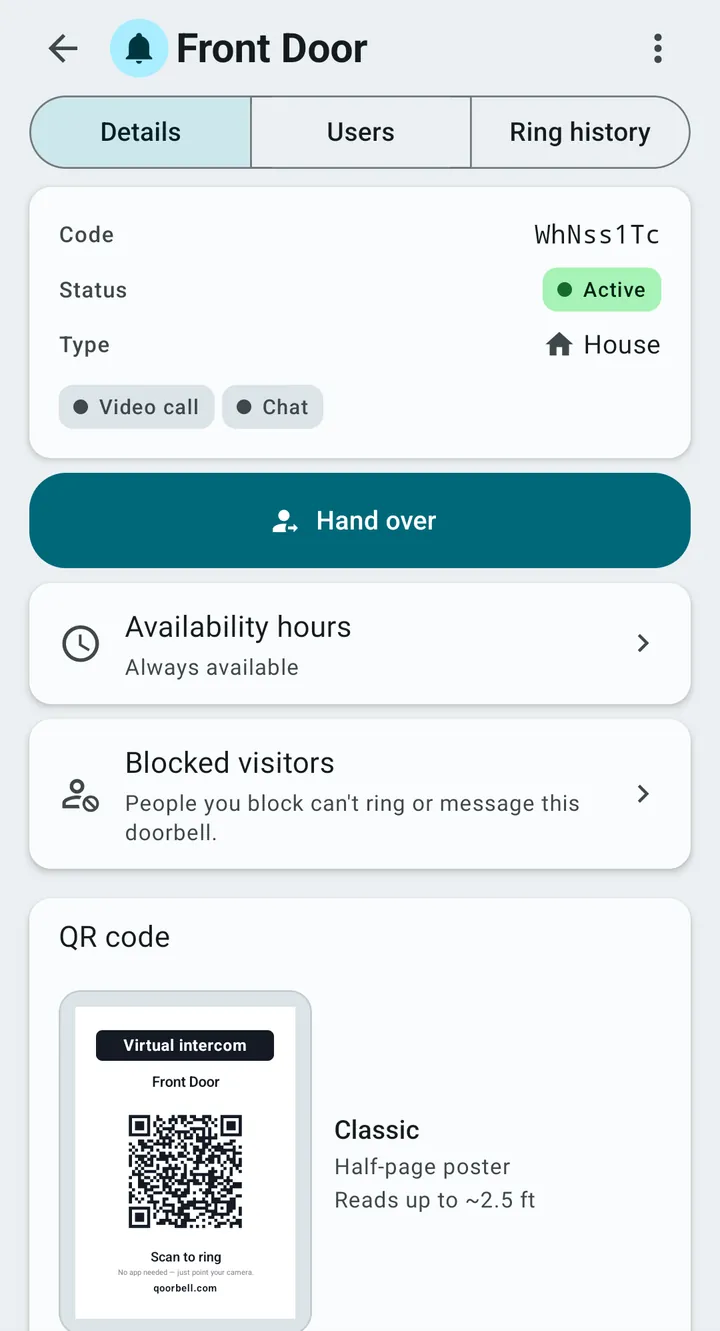
Where to put it
- At chest height, 120–150 cm (4–5 ft) off the ground, next to the bell or the handle.
- Out of direct sun: glare on plastic blinds the camera and the ink fades sooner.
- Under cover if you can. If rain or sprinklers reach it, use vinyl or a plate rather than paper.
- Behind glass works, but put it low on the pane and away from the sun. Clear film for the inside of the glass must be printed mirrored.
- On a flat, smooth surface facing the visitor: past about 45° cameras give up.
How to print it
- Print the PDF or PNG the app gives you (300 dpi), never a screenshot.
- Print at 100% or “actual size”, never “fit to page”, then measure the printed ruler.
- Matte paper beats glossy: gloss bounces light into the camera.
- Plain black is enough. Laser toner or pigment ink survives water; colour inkjet dye runs.
- Cut on the corner marks and keep the white border: the reader needs that quiet zone.
The code carries the highest level of error correction (level H), so it still reads with about 30% of it damaged or dirty. Wipe it now and then anyway.
How long each material lasts outdoors
- Clear tape over paper: months. Indoor or stopgap only.
- Hot laminating pouch (125 µm, ideally UV-filter and matte): 6–12 months outdoors, years under cover.
- Printable vinyl sheet with a laminate on top: 1–2 years.
- Print-shop polymeric vinyl with matte laminate: 3–5 years in sun and rain.
- Acrylic plate printed with UV ink: 5 years or more.
Before you stick it up, scan it with another phone, in place, in the real light, from where a visitor will stand. If you ever replace the doorbell’s code, posters you already printed stop working: print the new one.