Doorbell Not Working? 12 Fixes for Wired and Wireless Bells
By Qoorbell Team
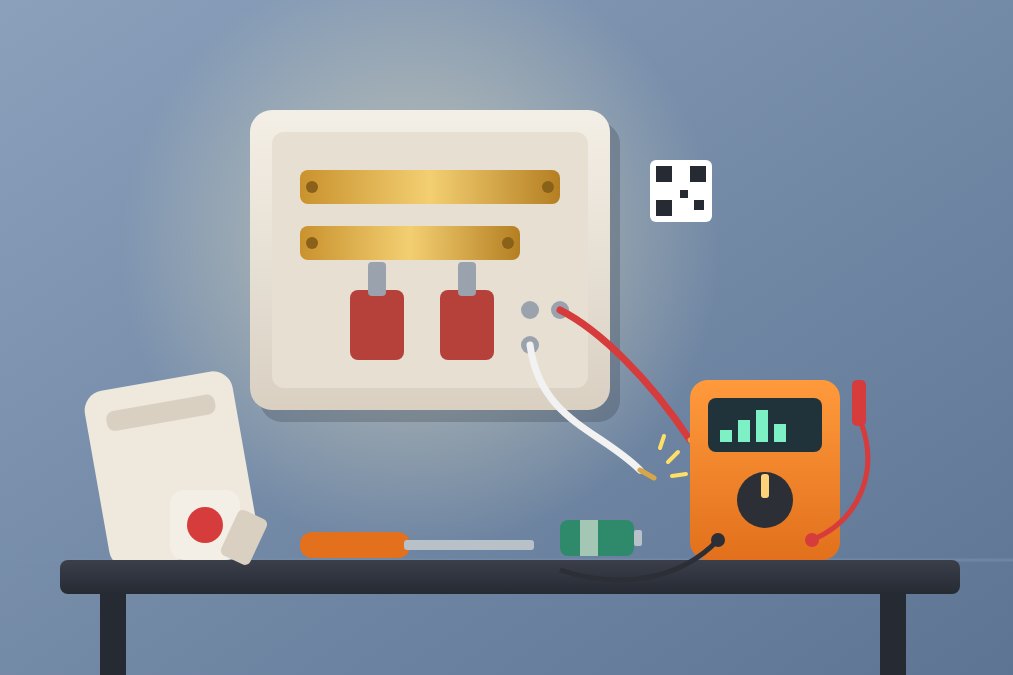
If your doorbell is not working, start with the cheapest causes: for a wireless doorbell, the batteries, the pairing and the distance; for a wired doorbell, the button, the wires behind it, the transformer and the chime. Most failures come down to one of these and take minutes to fix.
This guide walks you through the checks in the order that saves the most time, explains when it is worth calling an electrician, and shows a free way to make sure visitors can still reach you while the bell is silent.
First, find out which kind of doorbell you have
The fixes depend on how your doorbell gets its power and its signal, so take a minute to identify it.
- Wireless: the button outside has a battery and talks by radio to a chime you plug in or place on a shelf indoors.
- Wired: the button is connected by thin wires to a chime box on the wall, powered by a small transformer, usually near the electrical panel or the chime.
- Smart or video doorbell: a button with a camera that uses Wi-Fi and an app, either on batteries or wired to the old doorbell wires.
If you are not sure, take the button cover off. A battery compartment means wireless; two small screws with wires means wired.
Wireless doorbell not working: 6 checks
Wireless doorbells fail quietly. The button looks fine, but the signal never reaches the chime. Go through these in order.
- Replace the button battery. It is the most common cause. Cold weather drains batteries faster, so a bell that worked all summer can stop in the first frosty week. Use a new battery of the exact type printed inside the cover.
- Check the chime's power. If the chime runs on batteries, change them too. If it plugs in, try another socket and make sure the socket is not on a switch that someone turned off.
- Pair them again. A power cut or a battery change can make the chime forget the button. Most models have a pairing button on the chime: press it, then press the doorbell button within a few seconds. The manual or the maker's website shows the exact steps.
- Bring the chime closer. Thick walls, metal doors, mirrors and appliances shorten the range a lot. Test with the chime in the hallway next to the door. If it works there, the problem is range, not the bell.
- Look for interference. A neighbour's doorbell, a baby monitor or a new router can share the same radio band. Some models let you change the channel or melody code to avoid it.
- Dry and clean the button. Rain can get inside and corrode the contacts. Open the cover, dry it, wipe the battery contacts and close it properly so the seal sits flat.
Wired doorbell not working: from the button to the chime
A wired doorbell is a small circuit: transformer, button, chime. When it stops, one of the three has failed or a wire has come loose. Turn off the doorbell's circuit at the breaker before touching the transformer or the chime. The button side carries low voltage, but the transformer is connected to your home's mains power.
- Test the button. Unscrew it from the wall and check that both wires are tight on their screws. Then touch the two wires together for a second. If the chime rings, the button is dead and a new one costs very little.
- Look for a broken or corroded wire. Wires behind outdoor buttons rust and snap, often right at the screw. Strip a little fresh wire and reconnect it.
- Check the chime box. Remove the cover, make sure the wires on the terminals are tight, and look at the plungers that strike the bars. Dust or grease can make them stick; a gentle clean usually frees them.
- Check the transformer. It is a small box, often near the electrical panel, in the garage or in the attic. If it hums loudly, smells burnt or feels very hot, it needs replacing. With a multimeter, a working one usually reads in the range printed on its label, often between 10 and 24 volts.
- Check the breaker. A tripped breaker or a blown fuse cuts the transformer off completely. If it trips again right away, stop and call an electrician.
- Think about what changed. If the bell stopped after someone installed a smart doorbell, the old chime may need a small adapter, or the new button may need more power than the old transformer gives. The new doorbell's instructions usually say what it needs.
Smart and video doorbells that stop ringing
When a smart doorbell goes quiet, the cause is often the connection rather than the hardware.
- Check that the doorbell is still online in its app and that your router has not changed its name, password or band.
- Make sure notifications are allowed for the app on your phone, and that a focus or do-not-disturb mode is not hiding them.
- Charge or replace the battery if the model has one; cameras use far more power than a simple button.
- Restart the doorbell and the router, then update the app.
If the problem is that you cannot hear the chime from the garden or the top floor, rather than the bell being broken, our guide to fixes when you can't hear your doorbell covers extenders, portable receivers and phone alerts.
Keep visitors reaching you while you fix it
A broken doorbell rarely gets repaired the same day. Parts must be ordered, an electrician has to come, or the weekend gets in the way. Meanwhile couriers, guests and neighbours knock once and leave.
A simple stopgap is a note by the door with a way to reach you, but that means putting your phone number on display. Qoorbell is a free alternative: you print a QR code and stick it next to the broken button. A visitor scans it with the phone camera, a web page opens with no app and no account, and they video-call or chat with you. You answer on your phone wherever you are, and the visitor never sees your number.
Because the QR code is printed paper, it needs no power, Wi-Fi or wiring at the door, so it keeps working whatever is wrong with the old bell. If you miss a ring, the visitor can leave a chat message and the ring stays in your history. You can read more about how that works in our explainer on a video doorbell without Wi-Fi or wiring.
What to keep in mind
- Work on the transformer or anything connected to mains power only with the breaker off. If you are not comfortable doing that, an electrician can usually solve a doorbell fault in a short visit.
- If the wiring inside the wall is damaged, replacing it can cost more than a new wireless doorbell. Compare both before you decide.
- A QR doorbell depends on the visitor having a phone with a camera and a data connection, and on your phone being online to answer. For visitors without a phone, a knocker or a simple bell is still useful.
- Qoorbell does not repair or connect to your old doorbell. It works next to it, or instead of it.
Frequently asked questions
Why did my doorbell stop working suddenly?
For wireless doorbells, a flat battery or lost pairing is the usual cause. For wired doorbells, a loose wire at the button, a stuck chime or a failed transformer are the most common.
How do I know if my doorbell transformer is bad?
Signs include a loud hum, heat, a burnt smell or no reading on a multimeter. Turn off the breaker before you inspect it, and call an electrician if you are unsure.
Can I replace a broken wired doorbell with a wireless one?
Yes. Many people leave the old wires in place and add a wireless kit instead. Our guide to choosing a wireless doorbell explains range, chimes and batteries.
Is there a doorbell that cannot break this way?
Every device can fail, but a QR doorbell has no battery, wire or chime at the door to wear out. If the printed code fades or gets damaged, you print a new one.
Fix it, and never miss a visitor meanwhile
Most doorbells come back to life with a new battery, a fresh pairing or a tightened wire. Work from the button to the chime, stay safe around mains power, and call a professional when the transformer or the wiring is the problem. And so nobody leaves while you wait for the repair, create your free Qoorbell doorbell.
- Doorbell not working
- Doorbell repair
- Home maintenance
- QR doorbell