Office Reception Without a Receptionist: 6 Setups That Work
By Qoorbell Team
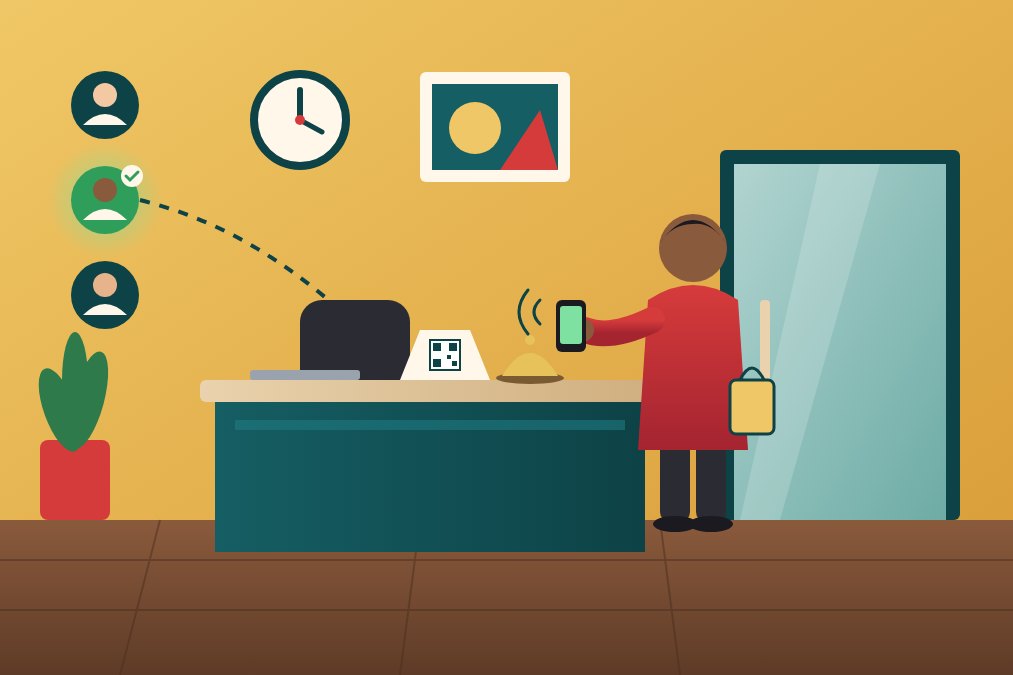
An office reception without a receptionist works when every visitor can do three things alone: see clearly where to go, announce themselves, and reach a real person on the team within a minute. A clear sign, a simple routine and a way to call whoever is free cover most small offices.
This guide is for small offices, studios, agencies, law and accounting practices, coworking spaces and workshops where nobody sits at the front desk all day. You will find six setups, from free to more complete, a step-by-step plan to set one up this week, and the limits to keep in mind.
Why the empty front desk is a problem
A small team rarely needs a full-time receptionist, but the visitors still come: clients for a meeting, couriers with a parcel, candidates for an interview, a supplier with an invoice. When the desk is empty, they knock, wait, wander down the corridor or leave.
Each of those moments costs something. A client waits in silence and starts the meeting annoyed. A courier leaves with the parcel. Someone walks into a room where a confidential call is going on. And the person closest to the door ends up as the unofficial receptionist, interrupted ten times a day.
The goal is not to replace a person with a gadget. It is to make sure every visitor knows what to do and reaches the right person, while the rest of the team keeps working.
6 ways to run an office reception without a receptionist
These options can be combined. Most small offices end up with two or three of them.
- A clear welcome sign. Put it at eye level on the door or the empty desk: who you are, what to do, and what happens next. «Welcome. Please ring and someone will come to meet you in a minute» is better than a bell with no explanation.
- A desk bell or a wireless doorbell. Cheap and familiar. It works if someone is always within earshot, but it does not say who is there or what they want, and it does not reach anyone working from home or in a meeting room at the back.
- A shared phone number on the sign. Visitors call a number that rings at the office. It works, but it puts a number on public display, and someone has to keep the phone close and answer it.
- A visitor sign-in routine. A paper log or a tablet where visitors write their name, company and who they are visiting. It is useful for safety and for knowing who is in the building, but on its own it does not tell anyone that a visitor has arrived.
- An intercom at the street door. Common in offices upstairs or in shared buildings. If the building already has one that works, use it. If it is broken or needs wiring, it can be slow and expensive to fix.
- A virtual reception with a QR code. The visitor scans a printed code with the phone camera and a page opens where they can video-call or chat with the team. With Qoorbell, the visitor installs nothing and creates no account, and never sees anyone's phone number.
How a virtual reception reaches whoever is free
The weak point of a bell or a shared phone is that it rings in one place. A virtual reception rings on the phones of the people you choose, wherever they are in the office or outside it.
In Qoorbell, each doorbell has a list called «Who answers». Add the colleagues who can take visitors: the visitor rings, those people get the ring on their phones, and whoever is free answers by video or chat. Every plan, the free one included, lets you have unlimited doorbells, groups and people on each doorbell.
If your office has several teams or several doors, you can organise doorbells by floors, zones or teams. One QR at the entrance can let the visitor pick who to call, for example the studio upstairs or the accounts team, so nobody has to guess.
And when nobody answers, the visitor can leave a message in the chat. You read it when you can, like a text, and reply from your phone. For opening hours, paid plans let you choose the hours it can ring, so the doorbell stays quiet at night and at weekends.
Set up your office reception in one afternoon
Whatever tools you choose, the routine matters more than the gadget. This is a simple plan for a team of two to twenty people.
- Decide who answers. Pick two or three people per day, or a weekly rota, so no one person carries the door alone.
- Write the rule. For example: visitors are greeted within two minutes, couriers are signed for by whoever answers, and nobody walks a visitor past the meeting rooms without a host.
- Prepare the entrance. A sign at eye level, a chair, good light, and the bell or code where it is easy to find. If you use a QR, print it large enough to scan from a step away and put it next to the door, not behind glass that reflects the light.
- Set up the doorbell. Create it, name it with your office name, and add the people who answer. Make a test call from a phone that is not on the list.
- Tell your visitors before they come. Add one line to meeting invitations and delivery instructions: «When you arrive, scan the code at the entrance and we will come to meet you».
- Review after a week. Ask the team what went wrong: missed rings, people waiting too long, couriers who could not find the door. Adjust the rota and the sign.
Safety and privacy at an unattended entrance
An empty desk is also a security question. An office without a receptionist should not mean an open door to anyone.
- Keep the inner door closed. Visitors wait in the entrance until someone meets them. The bell or the code is how they ask to come in, not a way to walk in.
- See before you open. A video call lets you see who is at the door and what they need before anyone leaves their desk.
- Keep personal numbers private. Avoid putting a colleague's mobile on the door. With Qoorbell, visitors only see the doorbell name, never the phone numbers of the people who answer.
- Log who comes in. A simple sign-in sheet, kept where visitors cannot read other names, helps in an emergency and with building rules.
Many of the same habits that protect a home also protect a small office. You will find more in our low-cost security tips.
What to keep in mind
A setup without a receptionist is not right for every office. Be honest about where it falls short.
- High footfall. If dozens of visitors arrive every hour, a person at the desk is usually faster and kinder. Tools help a small team; they do not replace a busy reception.
- Visitors without a smartphone. Some people cannot or will not scan a code. Keep a plain bell or a phone number on the sign as a back-up.
- A connection is needed. A video call needs the visitor's phone and the answering phone to be online. Inside a basement or a thick-walled building, check the signal at the door first.
- Someone must still answer. No tool helps if the rota is ignored. The routine is the real receptionist.
- Building rules. In shared buildings, ask the management before you stick anything on common doors.
If your problem is customers arriving when the shop is closed rather than visitors during the day, read our guide on serving customers when your business is closed. And if the whole building needs a new entry system, see how to modernise a building intercom.
Frequently asked questions
Do visitors need to install an app?
No. They point the phone camera at the code and a web page opens. Only the people who answer use the Qoorbell app or website.
Can several people answer the same doorbell?
Yes. Add them to the doorbell's «Who answers» list. Every plan, including the free one, allows unlimited people on each doorbell.
What if nobody is free to answer?
The visitor can leave a message in the chat, and you reply when you can. For a busy day, put a back-up name or a phone number on the sign.
Can it stop ringing outside office hours?
Yes, on paid plans: you choose the hours it can ring, and outside them visitors see that the doorbell is not taking visitors and can leave a message.
Do we need to install hardware at the entrance?
No. You print the code on any printer and stick it at the door or on the desk. Nothing to drill, wire or maintain.
A front desk that answers, even when it is empty
A small office does not need someone sitting at the front desk all day. It needs a clear sign, a routine the whole team follows and a way for every visitor to reach whoever is free. Start with the plan above, test it for a week, and adjust. When you are ready, create your free virtual reception with Qoorbell.
- Office reception without receptionist
- Small business
- Front desk
- QR doorbell