- video doorbell without Wi-Fi
- doorbell without wiring
- wireless doorbell
- QR doorbell
Video doorbell without Wi-Fi or wiring, explained
By Qoorbell Team
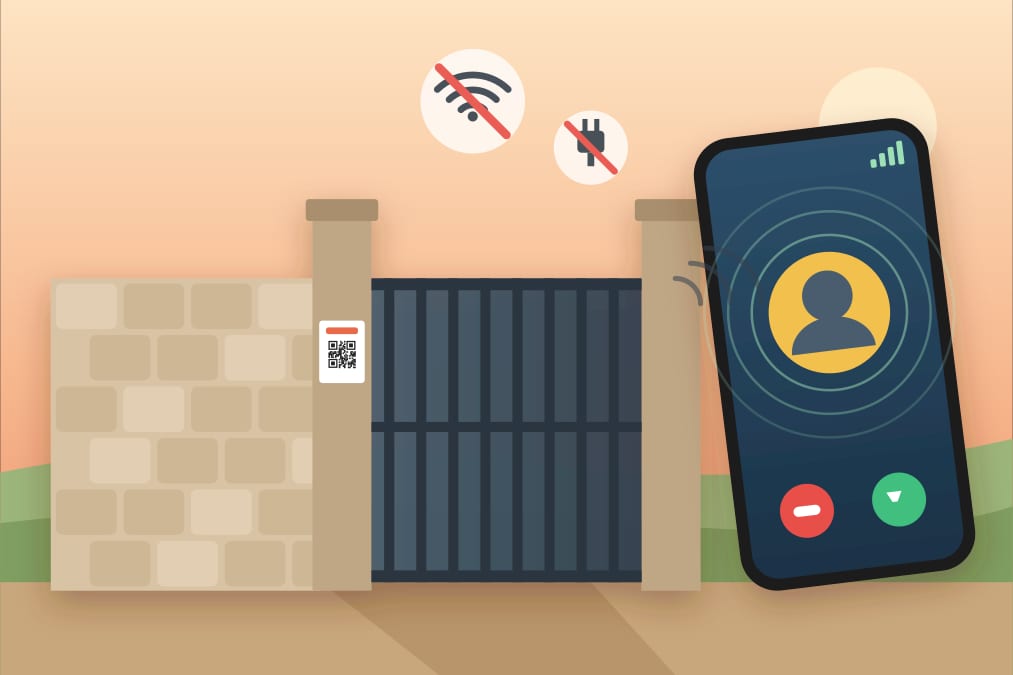
Yes, you can have a video doorbell without Wi-Fi or wiring. A QR video doorbell puts no device at the door at all: you print a QR code and stick it by the door or gate, the visitor scans it with their own phone (using their own mobile data), and your phone rings with a video call or a chat wherever you are. There is nothing to wire, charge or connect to Wi-Fi, and Qoorbell's free plan is enough to start. The trade-off: the visitor needs a phone with internet, and nothing records your door when nobody rings.
This guide explains why ordinary video doorbells need Wi-Fi, power and installation, what your options are when you have none of those at the door, a side-by-side comparison, how to set up a QR doorbell in a few minutes and where it makes the most sense.
Why most video doorbells need Wi-Fi, power and installation
A conventional video doorbell is a small camera with a button. To call your phone it needs several things right at the door:
- An internet connection: almost all of them join your home Wi-Fi. At a gate, a garden door or the ground-floor entrance of a building the signal often does not reach, and calls freeze or never arrive.
- Power: either the existing doorbell wiring with a compatible transformer, or a rechargeable battery that has to come down for charging every few weeks or months.
- Installation: brackets, screws and often drilling into the wall or the door frame, which many leases and building rules do not allow.
- Often a subscription: many models keep recordings and some features behind a monthly plan. We compared the video doorbell alternatives without a monthly fee in a separate guide.
That is why people searching for a "video doorbell without Wi-Fi" are so often renters, apartment dwellers, owners of a gate or a plot with no power, or anyone who simply cannot or does not want to drill.
Your options when there is no Wi-Fi or power at the door
1. A Wi-Fi extender or mesh node
It boosts the signal so a normal video doorbell reaches the router. It helps when the door is just slightly out of range, but you still need power and installation for the doorbell, plus another powered device near the entrance.
2. A cellular (4G/LTE) video doorbell or camera
It carries its own SIM card and connects over the mobile network instead of Wi-Fi. That solves the Wi-Fi problem, but it usually needs a data plan for the SIM, good mobile coverage at that exact spot, and a battery or solar panel that keeps it charged.
3. A classic wireless chime
A battery button outside and a receiver inside. No Wi-Fi and no monthly fee, but no video either, and you only hear it inside the house and within range. Our wireless doorbell buying guide covers these in detail.
4. A QR video doorbell
No device at all. The doorbell is a printed QR code: the visitor's phone provides the connection and your phone does the answering. Nothing at the door needs a signal, a socket or a battery.
Comparison: wired, battery, cellular and QR doorbells
| Wired video doorbell | Battery Wi-Fi video doorbell | Cellular (4G) video doorbell | QR video doorbell | |
|---|---|---|---|---|
| Device cost | Medium to high | Medium to high | High | None: a printed poster |
| Installation | Wiring, often an electrician | Bracket and screws, often drilling | Bracket, sometimes a solar panel | Stick or hang a poster |
| Wi-Fi at the door | Yes | Yes | No, it uses its own SIM | No |
| Power at the door | Yes, doorbell wiring | Battery to recharge | Battery or solar | No |
| Subscription | Often, for recordings | Often, for recordings | Usually a SIM data plan | Not required (free plan) |
| Good for renters | Rarely | Sometimes | Sometimes | Yes |
| Records when nobody rings | Yes | Yes | Yes | No |
Prices and features change from brand to brand and from country to country, so check the details of any product you are considering. The table shows the general pattern, not a specific model.
How a QR video doorbell works without Wi-Fi
- The visitor arrives and sees a poster with a QR code and a short "scan to ring" message.
- They point their phone camera at the code. A page opens in the browser: no app to install and no account to create.
- They tap to ring. The call travels over the visitor's mobile data, or whatever network their phone is on, not over your Wi-Fi.
- Your phone rings at home, at work or on the road. You answer with a video call or reply by chat.
- The visitor never sees your phone number.
The door itself needs nothing: no signal, no socket and no batteries. The only connections involved are the two phones.
Set up a doorbell without Wi-Fi in five minutes
- Create the doorbell. In the Qoorbell app or on the web, give it a name such as "Front gate". It takes about 30 seconds and it is free.
- Print the poster. Qoorbell generates a poster with your QR code. Print it at home or at a print shop; if it will be outdoors, laminate it or put it in a plastic sleeve.
- Stick it by the door or gate. At eye level, easy to see and protected from direct rain. Tape, adhesive strips, a cable tie on a gate or a small frame all work, with no drilling.
- Install the app to receive rings. Download Qoorbell on Android or iPhone, sign in and allow notifications so your phone rings even when it is locked.
- Test it. Scan the poster with another phone and check that yours rings. If other people should answer too, share the doorbell with your household or your team.
Where a doorbell without Wi-Fi or wiring makes sense
- Rentals and apartments: no holes and no changes to the building's wiring, and the poster leaves with you when you move. If your building's intercom does not work, see our guide to a wireless intercom for apartment buildings.
- Gates and driveways: the gate is often far from the house, where Wi-Fi does not reach and there is no power. For shared entrances, read about a gate doorbell for communities without a guard booth.
- Farms and country properties: on large plots the entrance can be hundreds of metres from the house, so a bell you can only hear indoors is useless.
- Construction sites: often there is no power or internet yet, and suppliers or inspectors need to reach the person in charge.
- Offices and small businesses: a reception point with nobody at the desk; share the doorbell so whoever is available answers.
- Vehicles: a QR code on the window lets someone reach you, for example if your car is blocking theirs, without seeing your number.
The honest limits
- The visitor needs a phone with a camera and internet. Someone without a smartphone, or without data or a network, cannot ring. Where that matters, keep a simple fallback such as a knocker or a classic chime.
- There is no camera at the door. Nothing records or detects motion when nobody rings; you only see what the visitor shows you during a video call. If you want continuous recording, pair it with a camera; our low-cost home security tips cover simple ways to protect your entrance.
- You need internet on your phone to answer.
- The free plan has limits: video calls are time-limited and it shows ads. Optional paid plans add longer calls and extras such as a longer ring history.
Frequently asked questions
Can a video doorbell work without Wi-Fi?
Yes, in two ways: a cellular doorbell with its own SIM card, or a QR doorbell that uses the visitor's phone connection. Most standard video doorbells, however, need Wi-Fi at the door.
Is there a video doorbell with no wiring and no batteries?
Yes, a QR video doorbell. It is a printed code, so nothing at the door needs power.
Does the visitor have to install an app?
No. They scan the code with their phone camera and the doorbell opens in the browser, with no app and no account.
How much does it cost?
Qoorbell can be used for free; the free plan shows ads and has shorter video calls. Paid plans are optional.
Can I use it if I rent?
Yes. There is nothing to drill or connect. If you put the poster in a shared area, check the building's rules first.
Does it work at a gate far from the house?
Yes, as long as the visitor's phone has coverage at the gate. Your phone can be anywhere with internet.
What if the visitor has no mobile data?
Then they cannot ring through the QR code unless their phone is on another network. That is why a simple fallback, such as a knocker or a classic chime, is worth keeping where many visitors may lack data.
Conclusion
If there is no Wi-Fi, no power or no permission to drill at your door, you do not need to give up on a video doorbell. A cellular model solves the Wi-Fi problem for a price; a QR doorbell removes the device altogether. Create your free doorbell, print the poster and have it on your door or gate today.