QR Code Scams: How to Spot a Fake Code Before You Scan
By Qoorbell Team
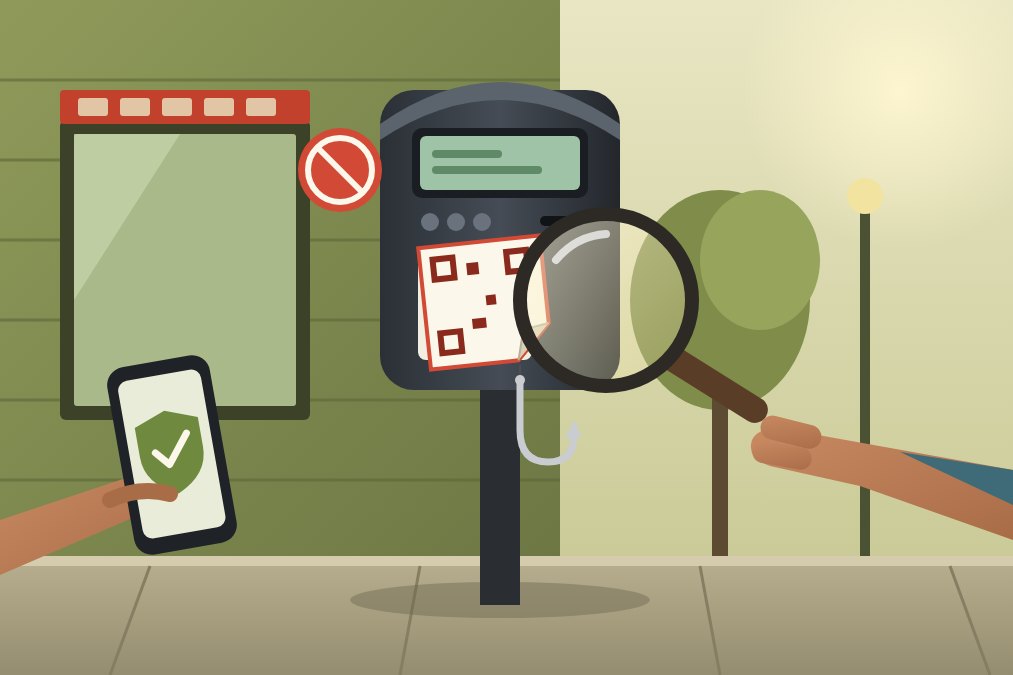
A QR code scam works by sending you to a fake page that asks for a payment, a password or an app install. Before you trust any code, check the address your phone shows before it opens, and never type card details or passwords on a page you reached by scanning a code you did not expect.
QR codes are everywhere now: parking meters, restaurant tables, parcel notices, posters and front doors. That is exactly why scammers like them. This guide explains how the tricks usually work, gives you a quick check you can do in a few seconds, tells you what to do if you already scanned a bad code, and shows how to protect a code you put up yourself.
How QR code scams work
A QR code is just a link printed as a pattern of squares. You cannot read it with your eyes, so you cannot tell where it goes until your phone decodes it. Scammers use that blind spot. The practice is often called "quishing", a mix of QR and phishing.
The code itself is harmless. The danger is the page it opens. That page usually tries to get one of three things from you:
- Money: a fake payment page for parking, a toll, a delivery fee or a fine.
- Your login: a copy of your bank, email or delivery company sign-in page that keeps whatever you type.
- An install: a prompt to download an app or a file from outside the official app store.
A printed code costs almost nothing to make, and a sticker can be placed over a real one in seconds. That is why the most common tricks happen in public places, where nobody checks who put a sticker there.
Common QR code scams to watch for
The details change, but most cases follow a few familiar patterns:
- Sticker over a real code. A fake code is stuck on top of the original on a parking meter, an EV charger, a bike rental stand or a restaurant table.
- Fake parking or fine notices. A note on your windshield says you owe a fee and must pay by scanning a code right now.
- Parcel and delivery notices. A card in your mailbox or a letter says a package is waiting and asks for a small fee or your details.
- Emails and texts with a code. A message shows a QR code instead of a link, so you scan it with your phone, away from the protections of your computer.
- Codes that promise something. Posters or flyers with prizes, discounts or free Wi-Fi that ask you to sign in first.
What they have in common is pressure. A real parking company or courier rarely needs you to pay within minutes through a code taped to a pole.
How to check a QR code before you trust it
You do not need special software. Most phone cameras show the address in a small banner before they open it, and that preview is your best tool. If you are not sure how your phone does it, our guide on how to scan a QR code on Android and iPhone walks through it.
- Look at the code itself. Run a finger over it. A sticker with raised edges, a second layer or a code that looks newer than the sign around it is a warning.
- Read the address before you tap. Check the domain: the part right before the first single slash. It should be the company you expect, spelled correctly, not a lookalike with extra words or swapped letters.
- Be wary of short links. A shortened address hides the real destination. If the code is for paying something, that is a reason to stop.
- Ask what the page wants. A menu or a timetable should just open. A page that asks for a card number, a password or an app install deserves a second look.
- Use the official route instead. If a code asks you to pay, open the company's own app or type its website yourself. You lose a minute and remove the risk.
- Trust the context. A code you did not expect, in a message you did not ask for, with a deadline, is the classic shape of a scam.
What to do if you scanned a fake QR code
Scanning a code on its own rarely does harm. What matters is what you did on the page afterwards. Act according to what happened:
- You only opened the page. Close it. Clearing that tab is usually enough.
- You typed a password. Change it right away on the real site, and on any other account where you used the same one. Turn on two-step sign-in if it is available.
- You entered card details or paid. Call your bank or card issuer using the number on the back of your card and ask them to block the card and review the charge.
- You installed something. Uninstall it, and check your phone's settings for apps you do not recognise.
- The code was on a public sign. Tell the owner of the meter, shop or charger so they can remove it, and report it to the police or your local fraud service if you lost money.
How to protect a QR code you put on your own door
Many people now stick a QR code at their own door, gate or counter: for menus, payments, Wi-Fi or a doorbell. The same sticker trick can target you, so a few habits help:
- Put it where you can see it. Place it at eye level, inside a doorframe or behind a window, where a stranger cannot cover it without being noticed.
- Look at it now and then. When you come home, glance at the code. If it looks different, has a second layer or has moved, scan it yourself.
- Protect it from the weather. A faded or peeling code invites a replacement. Cover it with clear tape or a sleeve. If it already struggles to scan, see our 10 fixes for a printed QR code that fails.
- Never use it for payments you do not control. A door code should start a conversation, not ask your visitors for money.
A QR doorbell like Qoorbell follows that last rule by design. A visitor scans the code with their phone camera, a web page opens with no app and no account, and they can video-call or chat with you. Nothing on that page asks the visitor for money or a password. They only see your doorbell name, never your phone number, email or other personal details, so the code does not expose you either.
That doorbell name is also a quick check for visitors: if they scan your door and the name they see is not yours, something is wrong. And if a code is ever damaged or torn down, you can print a fresh copy from your account for free, because there is no hardware to replace.
What to keep in mind
No checklist makes you immune. A well-made fake page can look exactly like the real one, so the safest habit is simple: do not pay or sign in from a page you reached through a code you did not expect.
A QR doorbell does not stop someone from sticking a fake code on your door; it only helps you notice. Qoorbell is not a security system or a camera that watches your door. If you want to make the whole entrance safer, our low-cost home security tips cover locks, lighting and habits that matter more than any code.
Finally, this is general safety advice, not legal or financial advice. If you lost money, your bank and the local police are the right people to call.
Frequently asked questions
Can scanning a QR code hack my phone?
Scanning alone very rarely does anything. The risk comes from what you do next: typing a password, paying or installing an app from the page it opens.
How can I tell if a QR code is fake?
Look for a sticker on top of another code, read the address your phone shows before opening it, and be wary of any page that rushes you to pay or sign in.
Are QR codes on parking meters safe?
Many are real, but meters are a common target for stickers. When in doubt, pay through the parking company's official app or website instead of the code.
Can someone put a fake code over my QR doorbell?
They could, which is why it helps to place the code where you see it every day and check it now and then. Visitors who scan your Qoorbell code see your doorbell name, so a different name is an easy sign that something is off.
Stay safe with every scan
QR codes are useful, and most of them are exactly what they look like. A few seconds of checking the sticker, the address and what the page asks for is enough to avoid most scams. If you want a code at your door that only connects visitors with you, without showing your number, create your free Qoorbell doorbell.
- QR code scam
- Online safety
- Phishing
- QR doorbell