Doorbell for Deaf People: 6 Options That Don't Need Sound
By Qoorbell Team
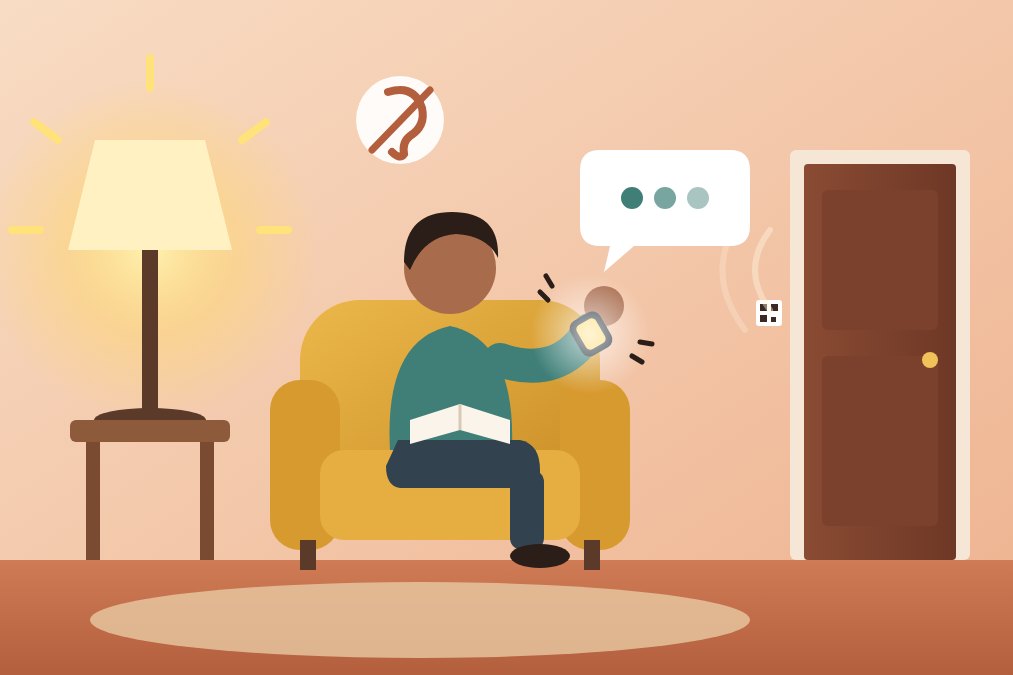
The best doorbell for deaf people does not rely on sound at all: it turns a ring into light, vibration or a message on a device you already carry. Flashing-light kits, vibrating receivers and phone-based doorbells with chat all do this, each with different strengths.
This guide is for deaf and hard-of-hearing people, and for families setting up a home for them. You will see the main options side by side, how to set one up in an afternoon, and how to make the door simple for the people who knock on it.
Why a normal doorbell fails deaf and hard-of-hearing people
A classic doorbell has one output: a chime in the hallway. If you cannot hear that chime, the bell does not exist for you.
The usual result is familiar. A courier leaves a card after ten seconds. A friend stands outside texting. A neighbour gives up and assumes nobody is home.
Louder chimes and extenders help people who are simply too far from the bell, which is a different problem covered in our guide on what to do when you can't hear the doorbell from the yard or garage. For people with significant hearing loss, volume is not the fix. The alert has to change form.
Doorbell for deaf people: 6 options that don't rely on sound
Most solutions fall into one of these groups. Many households combine two of them.
- Flashing-light doorbell kits. A wireless button at the door makes a strobe or lamp flash inside. They are simple and work without a phone, but you only notice them if you are in a room with a receiver.
- Vibrating receivers and pagers. A small unit you clip to a belt or keep in a pocket shakes when someone presses the button. Some systems add a pad under the pillow for night-time alerts.
- Alerting systems for the whole home. One set of receivers handles the doorbell, the phone and often smoke alarms, each with its own light pattern. They cost more and usually need some setup.
- Smart video doorbells. A camera doorbell sends a notification to your phone, which can vibrate and, on many phones, flash. They need power, Wi-Fi and usually installation.
- Phone and smartwatch alerts. Most phones can flash the camera light for notifications and vibrate in custom patterns, and a paired smartwatch usually taps your wrist. Any doorbell that reaches your phone inherits these features.
- A QR doorbell with video and chat. A printed QR code at the door lets the visitor reach your phone by video call or chat. You feel the ring as a vibration and can answer in writing, with no voice needed on either side.
Why chat matters as much as the alert
Knowing that someone is at the door is only half of the problem. The other half is finding out who it is and what they want before you open.
Most intercoms and doorbells with a speaker assume a spoken conversation. For many deaf people that is the hardest part. Text removes it.
With Qoorbell, a visitor who scans the QR can ring you by video call or send a chat message. You reply by chat, like texting. A courier can write that a parcel is too big for the mailbox, and you can write back that you are coming.
Video helps too. Seeing the person tells you whether it is a neighbour, a delivery or someone you do not know, and some people find it easier to lip-read or sign on screen than through a closed door.
If you miss the ring, the visitor can leave a chat message instead, and the ring appears in your history. It works like a missed call with a note attached.
How to set up a QR doorbell for a deaf household
There is nothing to wire or install, so this takes minutes rather than a weekend.
- Create a free account and a doorbell for your home in the Qoorbell app.
- Print the QR code and stick it next to the door, at eye level, where it stays dry and well lit.
- Allow notifications on your phone. Without that permission a ring cannot reach you.
- In the doorbell's ring sound screen, open Sound and vibration settings and choose a strong vibration pattern for incoming rings.
- Turn on your phone's flash or screen-flash alerts in its accessibility settings, if it has them.
- Check that your smartwatch, if you use one, shows notifications from the app.
- Ask a friend to scan the code and send a chat message, so you see exactly how a ring feels.
Every plan includes as many people on each doorbell as you need. A hearing partner, a carer or a family member in another city can get the same ring and help when you ask them to.
Because it runs on the visitor's phone and yours, the code also works at a gate or door with no power or Wi-Fi nearby, as explained in our article on video doorbells without Wi-Fi or wiring.
Make the door easy for visitors and couriers
The best alert is useless if the visitor knocks and leaves. A few small touches change their behaviour.
- Put a short note by the QR code, for example: "Deaf resident. Please scan to ring. You can write to me."
- Add the same instruction to the delivery notes in your online shops.
- Keep the code clean and at eye level, away from glare and rain.
- Tell regular visitors, such as family, cleaners or carers, to use the code rather than knocking.
- Keep a flashing-light or vibrating receiver as a backup for visitors who press the old button anyway.
If couriers keep marking parcels as missed, our guide on what to do when the delivery driver didn't ring covers how to complain and how to prevent it next time.
What to keep in mind
No single device covers every situation, so be honest about the limits.
- A QR doorbell needs the visitor to scan. Some people will still knock or press a button, so a dedicated receiver is a sensible backup.
- Both phones need a data connection. If your phone is off, silent with vibration disabled or out of battery, no alert will reach you.
- Phone-based alerts do not replace a visual or vibrating smoke alarm. Fire safety needs its own equipment.
- Flashing lights can trouble people with photosensitivity. Pick gentle patterns if anyone at home is sensitive to them.
Frequently asked questions
Can a deaf person use a video doorbell?
Yes. Any doorbell that sends a notification to a phone lets the phone vibrate or flash. Choosing one with chat also removes the need to talk through a speaker.
Does the visitor need an app to chat with me?
No. With a QR doorbell like Qoorbell, the visitor scans the code with the phone camera, a web page opens, and they can call or write without installing anything or creating an account.
What works at night, when my phone is not in my hand?
A smartwatch on your wrist or a vibrating pad under the pillow are the usual answers. Many people keep a phone-based doorbell for the day and a bed shaker for the night.
Is it free?
You can start for free, with video calls, chat and push notifications included. Paid plans add things like longer video calls, recorded visits and a longer list of who rang.
The bottom line
A doorbell for deaf people should turn a ring into something you can see or feel, and let the visitor talk to you without sound. Combine the phone you already carry with a backup receiver, put a clear note at the door, and the knock you never heard becomes a message you can answer. Create your free QR doorbell and try it with a friend today.
- doorbell for deaf people
- hard of hearing
- accessibility
- QR doorbell